 AI Toy Bridge
Connect AI to your device
Find your next step with AI
Answers use published guides; check the sources. Questions are sent to DeepSeek. Do not include tokens or keys.
Connect your device in the app
- Install AI Toy Bridge and allow Bluetooth.
- Turn on the device, then tap Devices → Add deviceand select it.
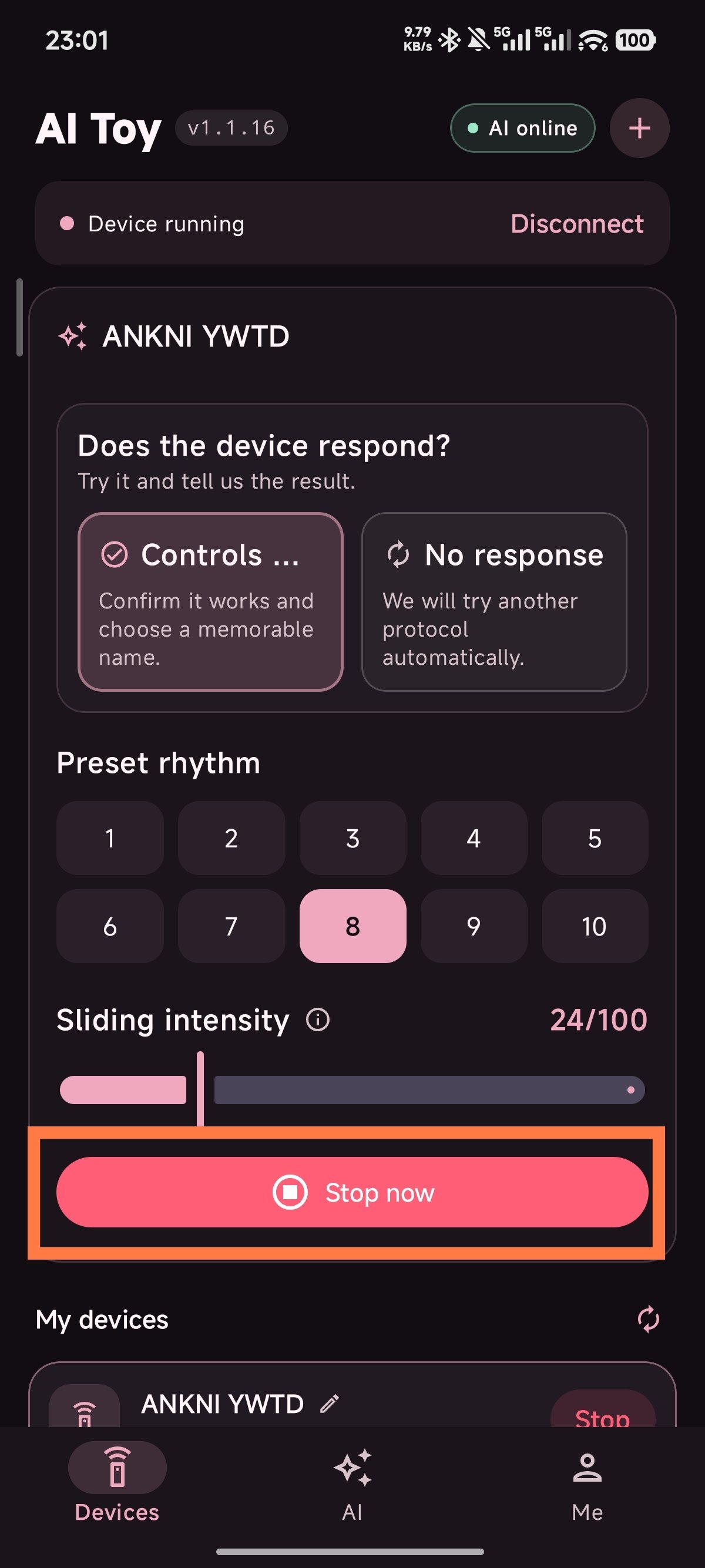
- Try the controls. If it responds, tap Controls workand save it.
Keep your phone online
- After you save a device, the app goes online automatically.
- Check that the app shows AI online. If not, go to the AI tab and tap Bring AI online.
- On Android, set battery use to Unrestricted and allow notifications.
Bring in your AI
Pick your app and get a config you can paste right in.
Before you start
How do I stop right away?
On the Devices tab, tap Stop now, or turn the device off. To keep AI from sending more commands, turn off AI online status on the AI tab.
Does it cost money?
Every account gets 40 free minutes of AI control each month. Need more? Choose a monthly pass or a top-up. About usage time
Must the AI and app be on the same phone?
No. The AI can run on another phone, computer or the web, as long as the app connected to your device keeps running.
Can I share my token?
Keep it private. Anyone with your token can control your device. For support, message the developer directly, or mention 小鱼 in the community to get a private form link.
All guides
Get started
Getting to Know AI Toy BridgeFirst understand the three steps—connect, configure MCP, and make a call—then start operating.Connect deviceInstall the App, find the device, and first confirm within the App that control works.Configure MCPCopy the service URL and user identifier, then complete the MCP connection according to your client.Let AI control the deviceFirst check the online status, then try a brief control command to confirm the AI actually called the tool.Connect AI
RikkaHub Advanced SettingsSupplementary notes on API, prompts, memory, and voice settings.Troubleshooting
FAQ and TroubleshootingSeparate device connection, App online status, and AI configuration issues, and troubleshoot step by step.Feedback and Compatibility GuideProvide device information, test time, and screenshots as shown in the examples to help locate the issue.More guides
Membership and Usage QuotaLearn about pay-as-you-go, trial quota, and where to purchase.Bands, watches, and heart rate strapsConnect standard Bluetooth heart rate devices, check permissions and heart rate broadcasting.iOS Bluetooth Data CollectionChoose a collection method depending on whether you have a Mac, to provide logs for device adaptation.No guides found. Try “connect” or “MCP”, or ask AI.